
반응형
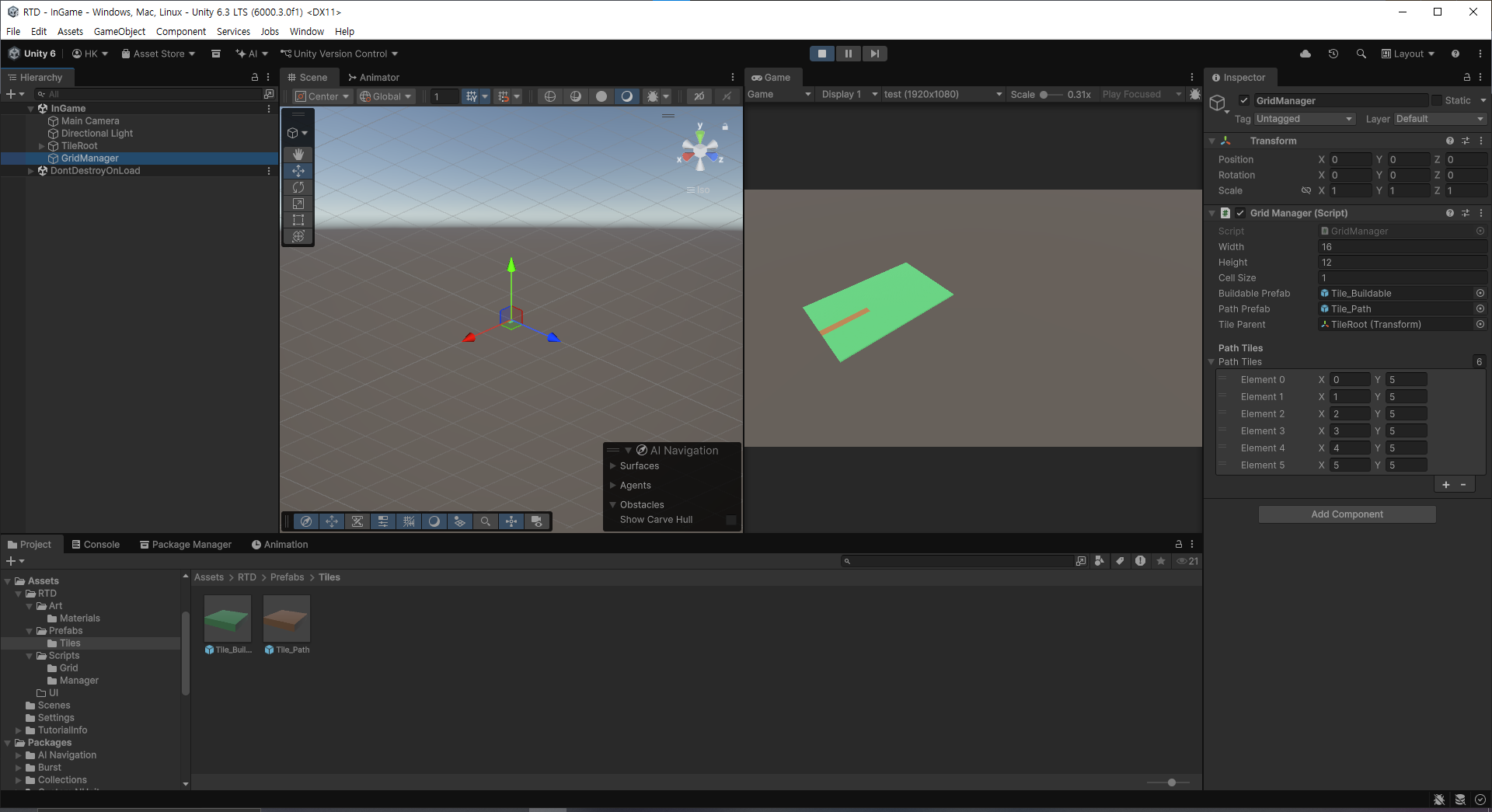
간단한 매니저 기본 설계 후 생성한 타일 프리팹을 적용하여 실제로 원하는 형태의 길과 맵이 생성되는지를 확인
|
1
2
3
4
5
6
7
8
9
10
11
12
13
14
15
16
17
18
19
20
21
22
23
24
25
26
27
28
29
30
31
32
33
34
35
36
37
38
39
40
41
42
43
44
45
46
47
48
49
50
51
52
53
54
55
56
|
using UnityEngine;
using System.Collections.Generic;
public class GridManager : MonoBehaviour
{
public int width = 16;
public int height = 12;
public float cellSize = 1f;
public GameObject buildablePrefab;
public GameObject pathPrefab;
public Transform tileParent;
[Header("Path Tiles")]
public List<Vector2Int> pathTiles = new List<Vector2Int>();
private GridTile[,] tiles;
private void Awake()
{
GenerateGrid();
}
private void GenerateGrid()
{
tiles = new GridTile[width, height];
for (int x = 0; x < width; x++)
{
for (int y = 0; y < height; y++)
{
Vector2Int pos = new Vector2Int(x, y);
bool isPath = pathTiles.Contains(pos);
GameObject prefab = isPath ? pathPrefab : buildablePrefab;
TileType tileType = isPath ? TileType.Path : TileType.Buildable;
CreateTile(pos, prefab, tileType);
}
}
}
private void CreateTile(Vector2Int gridPos, GameObject prefab, TileType tileType)
{
Vector3 worldPos = new Vector3(gridPos.x * cellSize, 0, gridPos.y * cellSize);
GameObject obj = Instantiate(prefab, worldPos, Quaternion.identity, tileParent);
GridTile tile = obj.AddComponent<GridTile>();
tile.GridPos = gridPos;
tile.TileType = tileType;
tiles[gridPos.x, gridPos.y] = tile;
}
}
|
cs |
결과
반응형
'게임 개발 > 랜덤 타워 디펜스' 카테고리의 다른 글
| [랜덤 타워 디펜스] Day 6 타워 랜덤 생성 시스템 구현 (0) | 2025.12.27 |
|---|---|
| [랜덤 타워 디펜스] Day 5 타워 데이터 셋팅 및 합성 시스템 (0) | 2025.12.21 |
| [랜덤 타워 디펜스] Day 4 기초 UI 및 타워 건설 (0) | 2025.12.12 |
| [랜덤 타워 디펜스] Day 3 Waypoint 생성 및 몬스터 이동 구현 (0) | 2025.12.11 |
| [랜덤 타워 디펜스] Day 2 마우스 호버 기능 및 Orbit Camera 기본 구현 (0) | 2025.12.09 |
